
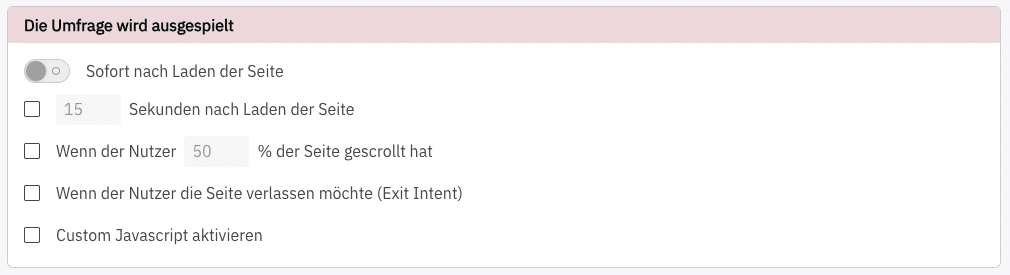
In the “Survey Display” section, you can decide when your survey should be displayed. You have several options:
- immediately after the page loads
- X seconds after the page loads
- When the user has scrolled to a certain depth (in percent).
- When the user intends to leave the page (Exit Intent; not possible on mobile)
- Custom JavaScript
Standard Display #
If you choose Sofort nach Laden der Seite, the other options will be deactivated.
Otherwise, you can combine the 4 remaining options with each other.
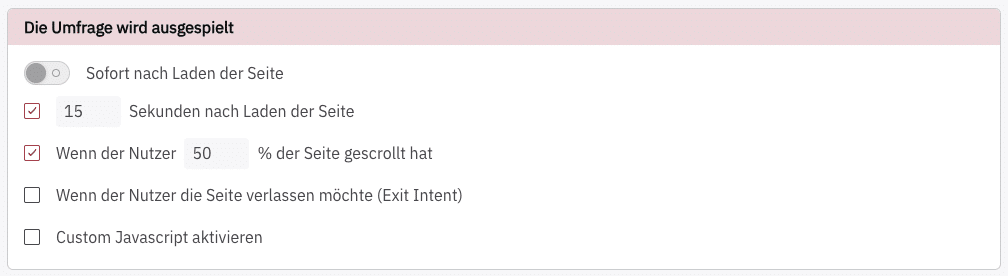
For example, this allows for combinations such as triggering a survey when the user meets both conditions:
- 15 seconds after the page loads and
- scrolled at least 50% of the page
Custom JavaScript #
With Custom JavaScript, you have all the freedom you need to display surveys. For instance, you can query window variables, read cookies, localStorage, or sessionStorage, and react accordingly. The options are virtually limitless.
The Advanced Targeting via JS with its helper functions could also be interesting.